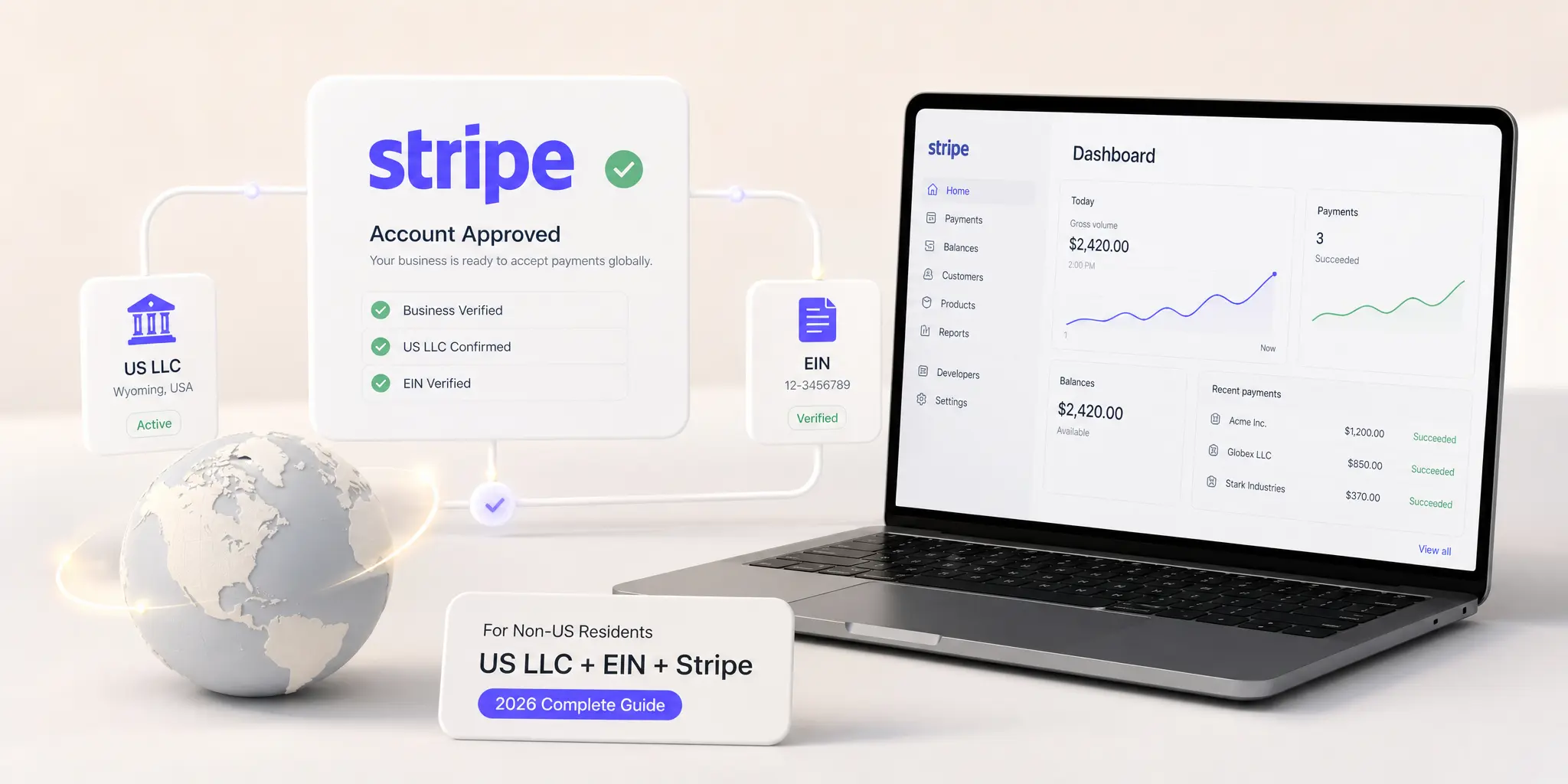
You formed your US LLC. You got your EIN. You opened your Relay account. Now you’re applying to Stripe — and the form asks you for a US Social Security Number you don’t have, your business address, your tax classification, and an operating agreement that suddenly needs to be perfect.
The reality is this: Stripe works for non-US residents — but only when your US LLC, EIN, and bank account are set up correctly first. And only when you complete the application without triggering one of the five rejection patterns that affect non-residents most often.
Stripe powers payments for millions of businesses worldwide. For a non-resident founder running a digital business, it is often the single most important tool you’ll set up — the difference between accepting card payments from customers globally or being limited to wire transfers and PayPal. Stripe is not just another payment processor. It is the infrastructure that makes your US LLC commercially functional.
This guide covers everything: how Stripe treats non-US residents with US LLCs, your country eligibility, the exact documents you need, the W-8BEN-E form and what it does, the step-by-step application process, the 5 reasons non-residents get rejected, and what to do if Stripe holds or rejects your account. Written from the experience of helping 400+ global founders get Stripe-approved from Bangladesh, UAE, India, Pakistan, Nigeria, and beyond.
Quick answer
Can a non-US resident use Stripe? Yes — by forming a US LLC, obtaining an EIN, opening a US business bank account, and applying to Stripe as the US LLC entity. Stripe verifies your LLC and EIN against US records, not your personal nationality. You’ll need to file Form W-8BEN-E to confirm your foreign owner status. This is the same path used by founders in Bangladesh, India, Pakistan, Nigeria, UAE, and other countries.
In this guide
How Stripe treats non-US residents — your two paths
Stripe does not ban non-US residents — but it does require your business to operate from a country Stripe supports. As a non-resident from a non-supported country (or even some supported ones), you have two viable paths to a working Stripe account.
| Path | What it is | Best for |
| Path 1 — Stripe via US LLC | Apply to Stripe as your US LLC entity, using your EIN and US bank account. Your personal nationality does not matter — Stripe verifies the LLC. | Founders from non-supported countries (Bangladesh, Nigeria, Pakistan, etc.) and those wanting USD payouts to a US bank account. |
| Path 2 — Stripe in your country | Apply to Stripe directly using your home-country business if Stripe supports your country (India, UAE, Singapore, etc.). | Founders in Stripe-supported countries who don’t need USD-first payouts or who want to avoid US LLC compliance. |
| What does not work | Applying to Stripe as a personal individual from a non-supported country with no US LLC. | Nothing — this path is blocked. Stripe will reject the application. |
This guide focuses on Path 1 — Stripe via a US LLC — because it is the path most non-resident founders we work with take. It opens up Stripe to founders from any country in the world, gives you USD payouts to a US bank account, and integrates cleanly with the rest of your US business infrastructure.
What this means for you: Your nationality does not block Stripe — your business entity does. Once your business is a US LLC with an EIN and US bank account, you’re applying as an American business with a foreign owner. Stripe handles this scenario routinely.
Stripe country eligibility — what works and what doesn’t
Stripe supports merchants in approximately 50 countries directly. If you’re personally based in one of those countries, you can apply to Stripe using your home-country business. If you’re not, the US LLC path is your route in.
Countries where Stripe is supported directly
Stripe operates in most of the EU, the UK, the US, Canada, Australia, New Zealand, Singapore, India, UAE, Japan, Brazil, Mexico, and a growing list of others. Always check the current list directly at the Stripe global page before assuming.
Check the current list at the official Stripe global page before applying.
Countries where Stripe is not supported directly
Stripe is not currently available for merchants based in countries including Bangladesh, Pakistan, Nigeria (limited), Sri Lanka, Vietnam, Egypt, and many others. Founders from these countries cannot apply to Stripe as a local business — but they can apply through a US LLC.
⚠ Stripe country availability changes over time. Nigeria has had limited Stripe access. India and UAE have been added. Always check stripe.com/global for the current list before assuming your country is or is not supported.
What this means for you: If your country is on the supported list and you want to keep operations local, apply directly. If your country is not supported, or you want USD-first payouts to a US bank account, the US LLC path is your best option.
The 5 documents you need before applying to Stripe
Stripe verifies your US LLC against US government records and runs your EIN through the IRS database during the application. If any of these documents is missing or doesn’t match exactly, your application will be held or rejected.
Document 1 — Certificate of Formation (or Certificate of Organization). Your state’s official confirmation that your LLC legally exists. Stripe verifies your LLC name and formation state against this. The name you enter in the Stripe application must match exactly — letter for letter, comma for comma.
Document 2 — EIN Confirmation. Your IRS-issued Employer Identification Number. Stripe runs this against the IRS database in real time. Apply to Stripe only after your EIN has been confirmed and is active in the IRS system — typically 48–72 hours after you receive it verbally by phone.
Document 3 — Operating Agreement. Stripe may request your operating agreement during verification — particularly for higher-volume merchants or any review-triggered check. The agreement must show you as the registered owner of the LLC with the correct address and ownership percentage. Stripe explicitly asks for operating agreements in many non-US-resident verifications.
Document 4 — US Business Bank Account. Stripe payouts go to a US bank account in your LLC’s name. Mercury, Relay, or any US business bank works. You’ll need the routing number and account number ready for the application. Apply to Stripe only after your bank account is open.
Document 5 — Valid Passport. For personal identity verification of you as the LLC’s beneficial owner. Stripe uses an automated identity verification partner. Same standard as a bank application — clear lighting, plain background, full passport photo page visible.
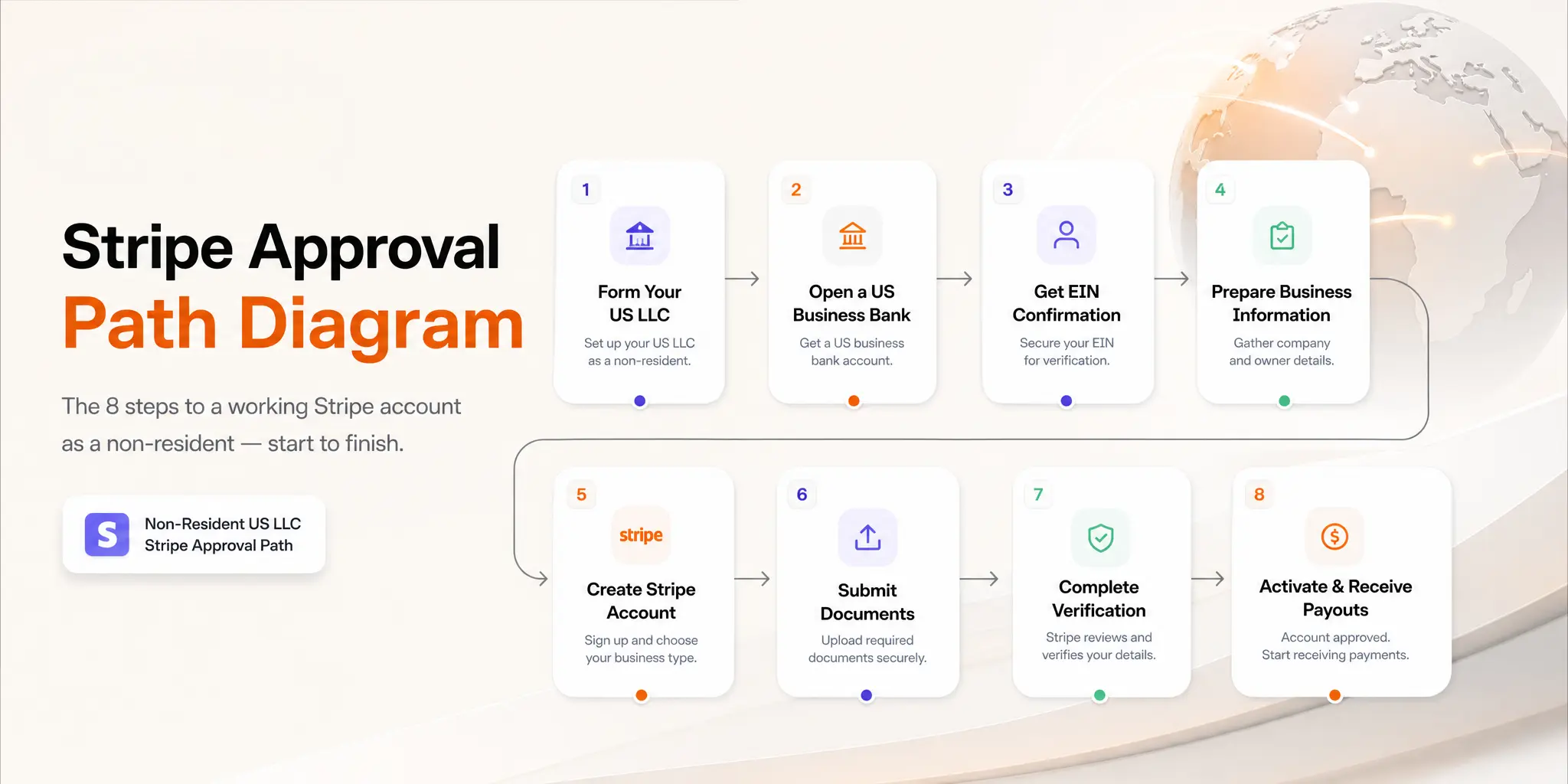
Important — apply in this exact order: LLC approved → EIN confirmed (wait 48–72 hrs) → US bank account opened → Operating Agreement signed and current → Apply to Stripe. Skipping or reversing any step triggers a hold or rejection.
Step-by-step: How to set up Stripe with your US LLC
This is the exact process we walk founders through. Plan to complete it in one sitting — about 30–60 minutes — once all your documents are ready.
Before you start
- Confirm your EIN is at least 48–72 hours old and active in the IRS system
- Confirm your US business bank account (Mercury or Relay) is approved and live
- Have your Certificate of Formation, EIN confirmation, and Operating Agreement saved as clear PDFs
- Have your routing number and account number ready
- Use a laptop — the document upload flow is smoother than mobile
- Use a clean web browser (not your usual browser stuffed with extensions) — Stripe is sensitive to anti-fingerprinting tools
The Stripe application — step by step
Step 1 — Go to stripe.com and click “Start now” to create your account. Use a business email address — ideally one on your domain (founder@yourbrand.com), not Gmail. Stripe is more suspicious of generic email addresses.
Step 2 — Verify your email and set up two-factor authentication. Use an authenticator app, not SMS — Stripe’s risk system gives slightly more confidence to authenticator-app accounts.
Step 3 — Activate your account by selecting your country as the United States. This is the critical step. Select United States — not your country of residence. You’re applying as a US business, not as an individual. The address verification later will use your LLC’s US registered address (typically your registered agent’s address).
Step 4 — Enter your business details. Business type: LLC (Single-Member). Legal business name: enter exactly as it appears on your Certificate of Formation. EIN: enter your nine-digit EIN. Business address: your LLC’s US address (your registered agent address is acceptable). Business website: required — your business must have a live, functional website with clear pricing, terms, and contact information.
Step 5 — Enter your personal details as the beneficial owner. Your legal name, date of birth, residential address (your non-US address is fine), and your ownership percentage (100% if you are the sole member). Stripe will use this for personal identity verification.
Step 6 — Add your US bank account for payouts. Enter the routing number and account number for your Mercury or Relay account. The account must be in your LLC’s name — personal accounts will be rejected.
Step 7 — Describe your business activity. Be specific. “Digital marketing services for SaaS clients” is far better than “consulting.” “Online courses on web development” is better than “education.” Vague descriptions trigger manual review.
Step 8 — Submit and wait for verification. Most LLC accounts are approved automatically within minutes. Some go into manual review, which typically takes 1–3 business days. Stripe may ask for additional documents — your operating agreement, a Certificate of Good Standing, or proof of business activity. Respond within 48 hours to avoid your application being closed.
What this means for you: Apply during US business hours (Monday–Thursday). Friday and weekend applications often sit until Monday for manual review and risk assessment.
Want your full US business stack set up correctly the first time?
Rocket Wave sets up your complete US business infrastructure — LLC formation, EIN, Operating Agreement, US bank account, and Stripe-ready documentation — so you pass approval on the first try.
400+ Stripe-approved founders. No trip to the US required.
W-8BEN-E: the foreign owner certification you must file
Once your Stripe account is approved, Stripe will prompt you to complete a W-8BEN-E form. This is an IRS form that certifies your foreign-owned status and determines whether Stripe must withhold tax on your payouts.
What W-8BEN-E does
Form W-8BEN-E is the Certificate of Status of Beneficial Owner for United States Tax Withholding and Reporting (Entities). You file it with Stripe (not the IRS directly) to confirm that your LLC has foreign ownership, so Stripe knows how to handle tax reporting on your payouts. Read the official W-8BEN-E form on the IRS website for full details.
How to fill in W-8BEN-E for a foreign-owned single-member LLC
| Field | What to Enter | Notes |
| Line 1 — Name of organisation | Your LLC’s legal name | Exactly as on Certificate of Formation |
| Line 2 — Country of incorporation | United States | Your LLC is a US entity |
| Line 3 — Name of disregarded entity | Leave blank | Only used in complex multi-tier structures |
| Line 4 — Chapter 3 status | Check: Disregarded Entity | Standard for single-member LLC with foreign owner |
| Line 5 — Chapter 4 (FATCA) status | Check: Active NFFE (Non-Financial Foreign Entity) | Standard for most operating businesses |
| Line 6 — Permanent residence | Your home country address | Where you actually live |
| Line 7 — Mailing address | Same as Line 6 or US LLC address | Either works |
| Line 8 — US TIN (EIN) | Your LLC’s EIN | Required |
| Line 10 — Reference number | Leave blank | Not required |
| Part III — Treaty benefits | Only complete if your country has a US tax treaty | Most non-residents skip this — consult CPA if unsure |
| Signature | Your full legal name + date | You sign as the LLC’s beneficial owner |
What this means for you: If you make a mistake on W-8BEN-E, Stripe will ask you to resubmit. The form does not get filed with the IRS — it stays with Stripe — so corrections are straightforward. Don’t stress over getting it perfect on the first attempt.
5 reasons non-residents get rejected by Stripe
Stripe approval for a US LLC with a foreign owner is routine — but rejection happens, and it usually comes down to one of these five patterns.
Rejection 1 — Applying too soon after EIN issuance. If you apply to Stripe within 24 hours of receiving your EIN verbally from the IRS, Stripe’s real-time EIN verification against the IRS database fails — because your EIN isn’t yet in the IRS’s outward-facing records. Wait 48–72 hours after receiving your EIN before applying.
Rejection 2 — LLC name mismatch. The name you enter in the Stripe application doesn’t match the Certificate of Formation exactly. “Acme Solutions LLC” vs “Acme Solutions, LLC” or “Acme Solutions L.L.C.” — Stripe treats these as different entities. Copy and paste from your Certificate of Formation, never type from memory.
Rejection 3 — High-risk business category. Stripe has restricted business categories — crypto-adjacent services, certain financial services, adult content, firearms, gambling, and CBD products being the most common. If your business is in a grey zone, describe your activity as clearly and conservatively as possible. Avoid keywords like “trading,” “investment,” or “financial advice” unless they truly apply.
Rejection 4 — Thin or missing website. Stripe checks your business website during the review. A site with no clear products, no pricing, no terms of service, no privacy policy, or that looks like a placeholder will trigger rejection. Have a complete, professional website live before you apply — including a domain that matches your business name.
Rejection 5 — Bank account name doesn’t match LLC. Your US bank account must be in your LLC’s exact legal name. Personal accounts, accounts with abbreviated business names, or accounts whose registered name doesn’t match the LLC will be rejected. This is most common with Wise Business accounts that use slightly different naming conventions.
What to do if your Stripe account is held or rejected
If your application doesn’t get auto-approved, you’ll fall into one of three situations. Each has a specific response that works.
Situation 1 — Stripe asks for additional documentation
This is the most common outcome for non-resident applications. Stripe will email you with a specific request — usually for your operating agreement, a Certificate of Good Standing, or proof of business activity. Respond within 48 hours with high-quality scans, and your account is typically approved within 1–3 business days afterwards.
Situation 2 — Stripe places your account on hold
Holds usually happen after first transactions if Stripe’s risk system flags unusual patterns — large transactions, unfamiliar customer countries, or industries the underwriting model treats as elevated risk. Reply to Stripe through their support form with: a description of your business model, your typical customer profile, evidence of legitimate operations (invoices, contracts), and any client communication. Most holds resolve within 1–2 weeks.
Situation 3 — Stripe rejects your application
- Read the rejection email carefully — Stripe usually gives a specific reason
- Fix the specific issue — incorrect name, missing website, mismatched bank account
- Wait at least 30 days before reapplying — reapplying immediately triggers automatic rejection
- When reapplying, use the same business email but be prepared to explain what changed
- If your business genuinely falls into a restricted category, Stripe will not approve — consider PayPal Business or 2Checkout as alternatives
What this means for you: Most Stripe rejections are fixable. The biggest mistake is panicking and applying again immediately — that compounds the problem. Read the rejection, fix it specifically, wait, then reapply with confidence.
Stripe vs Stripe Atlas vs PayPal: what’s the difference?
Three products are often confused. Here’s the clear distinction:
| Stripe | Stripe Atlas | PayPal Business | |
| What it is | Payment processor — accept card payments | LLC formation + Stripe setup bundle | Payment processor + buyer-protection marketplace |
| Need a US LLC? | Yes (for non-residents) | Atlas includes LLC formation | No — works with home country business too |
| Pricing | 2.9% + 30¢ per transaction | One-time fee ($500) + standard Stripe fees | 2.9–3.5% per transaction + currency conversion fees |
| Approval rate for non-residents | High when LLC is set up correctly | High — Atlas controls the LLC formation | Moderate — depends on country |
| Best for | Founders already with a US LLC | Founders who want LLC + Stripe in one bundle | Founders wanting a backup or working in a Stripe-restricted country |
| Payout to non-US bank | No — requires US bank account | No — same as Stripe | Yes — to most countries |
Most non-resident founders are best served by setting up their US LLC, EIN, and bank account independently (more flexibility and lower cost), then applying to Stripe directly. Stripe Atlas is convenient but expensive — its LLC formation runs $500 vs $300–400 for the same outcome from Rocket Wave. PayPal Business is a strong backup, not a primary processor.
What this means for you: Use Stripe as your primary payment processor and PayPal Business as your backup. Stripe has better integration, better fees, and stronger developer tools — but PayPal accepts payments in countries Stripe doesn’t reach. Most successful non-resident businesses run both.
Stripe approval checklist for non-residents
Work through this in order. Every step depends on the one before it.
Before applying — get these in place first
- US LLC approved — Certificate of Formation in hand
- EIN confirmed — at least 48–72 hours old, active in IRS system
- Operating Agreement signed, current, and saved as PDF
- US business bank account approved (Mercury or Relay)
- Bank routing number and account number ready
- Live business website — professional design, clear pricing, ToS and privacy policy live
- Business email on your own domain (not Gmail)
During the application
- Select United States as your country (not your home country)
- Enter LLC name exactly as on Certificate of Formation — copy/paste, never type from memory
- Use the LLC’s US address for business address (registered agent address is fine)
- Describe business activity specifically — avoid vague terms
- Enable two-factor authentication via authenticator app, not SMS
- Apply during US business hours (Monday–Thursday) for fastest review
After approval
- Complete W-8BEN-E within Stripe’s interface
- Test a small transaction to verify payout flow works
- Connect Stripe to your payment software or website
- Save your Stripe API keys securely — you’ll need them for integrations
- Set up payout schedule (daily / weekly / monthly) in Stripe dashboard
Frequently asked questions
Can a non-US resident open a Stripe account?
Yes — by forming a US LLC, obtaining an EIN, opening a US business bank account, and applying to Stripe as the US LLC entity. Your personal nationality does not block Stripe approval. Stripe verifies the US business, not the personal owner.
Can I open a Stripe account from Bangladesh, Nigeria, or Pakistan?
Yes — through a US LLC. Stripe doesn’t currently support local businesses in Bangladesh and Pakistan, and Nigeria has limited support. Founders in these countries take the US LLC path: form a US LLC, get an EIN, open a US bank account (Mercury or Relay), then apply to Stripe as the US business. See our complete US LLC formation guide for non-residents for the full process.
Does Stripe require an operating agreement for LLC verification?
Yes — particularly for non-resident-owned LLCs and for accounts that hit higher transaction volumes. Stripe may request the operating agreement during initial verification or later if a review is triggered. Keep it current, professionally formatted, and saved as a PDF ready to upload. An outdated or unsigned operating agreement is a common rejection trigger.
Do I need a US Social Security Number for Stripe?
No. Stripe uses your LLC’s EIN as the tax ID for the business account — not your personal SSN. For your personal identity verification as the beneficial owner, your passport is accepted. If you don’t have your EIN yet, our EIN without SSN guide explains how to get one as a non-resident.
How long does Stripe approval take for a non-resident LLC?
Most accounts are approved within minutes to a few hours of submitting the application. Accounts that go into manual review — most non-resident applications eventually do at some point — are typically resolved within 1–3 business days. If Stripe asks for additional documents, respond within 48 hours for the fastest resolution.
What if Stripe holds my payouts after approval?
Stripe sometimes holds first-time payouts as part of standard risk review — particularly for new merchants with no transaction history. This is not a rejection — it’s a temporary hold while Stripe’s risk system establishes a baseline for your business. Provide any requested documentation promptly. Most holds resolve within 1–2 weeks.
Do I have to pay US tax on Stripe income as a non-resident?
Generally no — if your business has no US physical presence, no US employees, and your services or products are delivered from outside the US, Stripe income is typically not Effectively Connected Income and is not subject to US federal income tax. However, you still must file Form 5472 annually. For full details on what you owe and what you don’t, read our US LLC taxes for non-residents guide.
Get Stripe-ready from day one.
Rocket Wave sets up your complete US business stack — LLC formation, EIN, Operating Agreement, US bank account, and Stripe-ready documentation — so your application passes the first time.
400+ Stripe-approved founders. No trip to the US. No surprises.
Legal Disclaimer: This guide is for informational purposes only and does not constitute legal, tax, or financial advice. Stripe’s policies, supported countries, requirements, and processes change frequently — always verify current details at stripe.com before applying. Approval is at Stripe’s sole discretion and depends on your specific business and circumstances. Form W-8BEN-E and tax obligations vary based on individual situations — always consult a qualified US CPA or tax attorney for advice specific to your circumstances.